Hold a note. Or a chord.
Letter keys become piano keys. The on-screen keyboard shows you where each note lives. Pads and choirs welcome a handful of notes at once.
 LidSyntha little more expression
A NEW WAY TO PLAY YOUR MAC
Your keys play the notes. Your screen shapes the swell.
A small, expressive synthesizer for the Mac you already have.
Native macOS app · macOS 14 or later · Made by Panlab
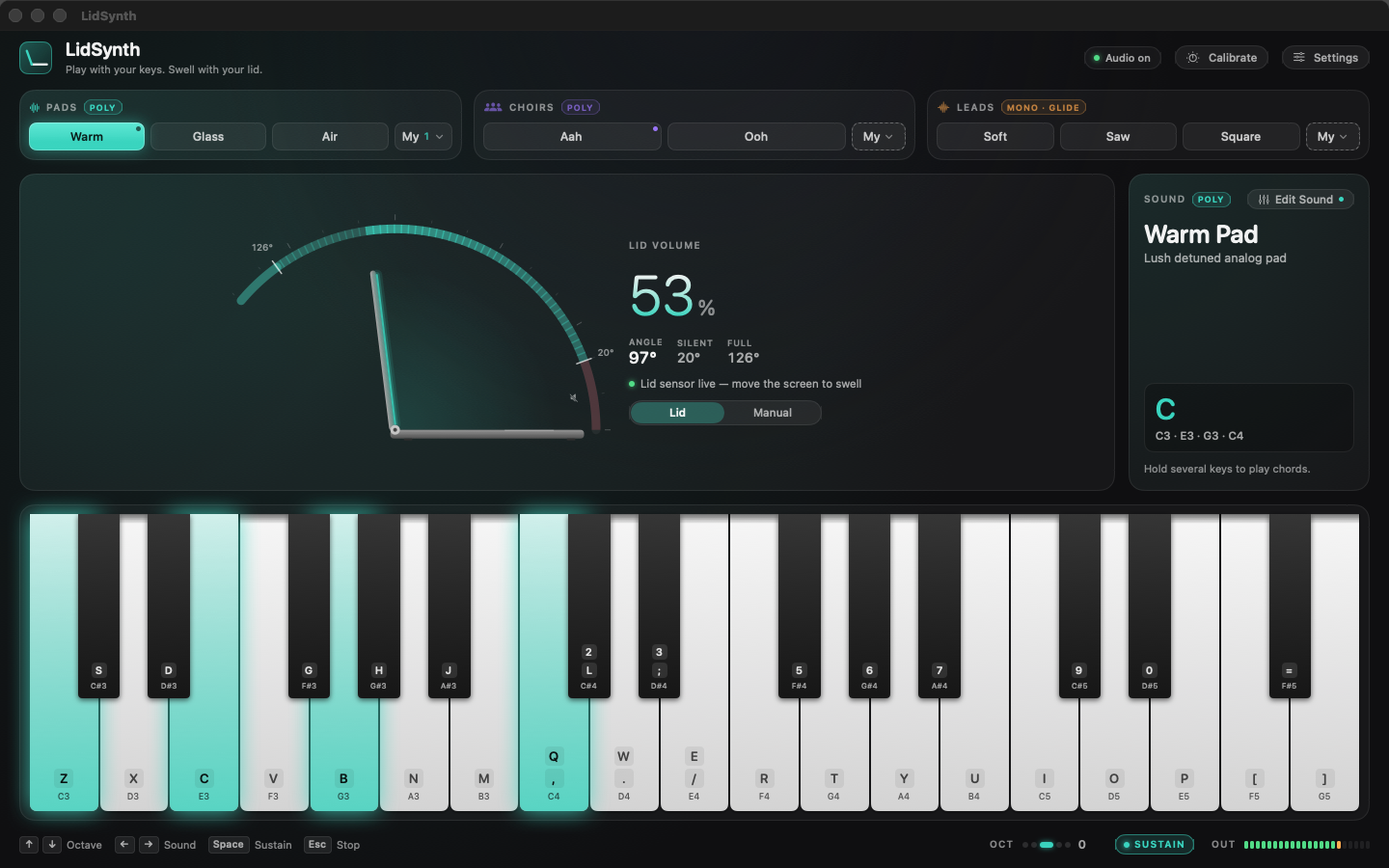
Drag to explore the idea. The Mac app reads the real hinge angle.
01 — THE GESTURE
Letter keys become piano keys. The on-screen keyboard shows you where each note lives. Pads and choirs welcome a handful of notes at once.
Lower the lid and the sound fades. Open it and the sound rises. Calibrate your comfortable range, then follow your ear.
Sustain a pad with Space. Shift octaves with the arrows. For a solo, choose a lead and let the pitch glide between held notes.
02 — A PALETTE TO PLAY WITH
Eight starting points, from a warm bed of sound to a voice that floats above it. Here are three, recorded straight from the synth engine.
A soft place for your chords to land.
A human-like shimmer, without a single sample.
One voice. Smooth journeys between notes.
Also in the palette: Glass Pad · Air Pad · Choir Ooh · Saw Lead · Square Lead. These clips are dry; add reverb and echo inside the app.
 THE SOUND EDITOR
03 — MAKE IT YOURS
Make the attack softer. The tone brighter. The room wetter. Shape each sound while you play, with plain-language controls and a live envelope curve.
Save your own named versions in My Sounds. Each one is independent, remembers your edits, and is ready next time you open the app.
A FEW GOOD THINGS TO KNOW
LidSynth runs on macOS 14 or later, on Apple silicon and Intel Macs. Screen-controlled volume needs a MacBook with a compatible lid-angle sensor. On other Macs, or in clamshell mode, the on-screen volume control keeps you playing.
Just your Mac keyboard. Letter keys play the notes, and the piano on screen shows the mapping. You can also click the piano. The layout follows your keyboard and works while a Chinese input method is selected.
The app works offline. No account, advertising or analytics. Your sound library and preferences stay on your Mac. Read the privacy policy for the app and this website.
Privacy policy ↗Yes. Save up to 200 of your own sounds, with names in any language. Rename, duplicate, or delete them whenever you like. Undo brings back an accidental edit or deletion.
A LITTLE INSTRUMENT. A LOT OF ROOM TO EXPLORE.
Free at launch · macOS 14+ · No account needed
Questions? We’re here ↗